


Weather BUB
4.92.15K Reviews
App Specs
- Version
- 6.2.7
- Updated On
- License
- Free
- Downloads
- 100,000+
- Developer
- Weather Creative Inc.
- Categories
- Weather
- Platform
- Android
Screenshots
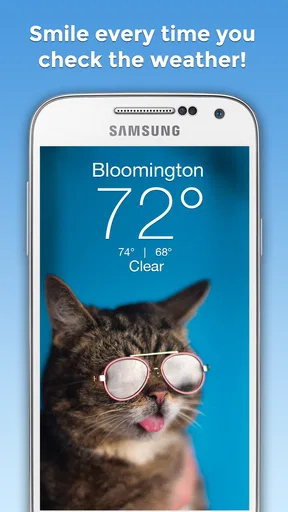
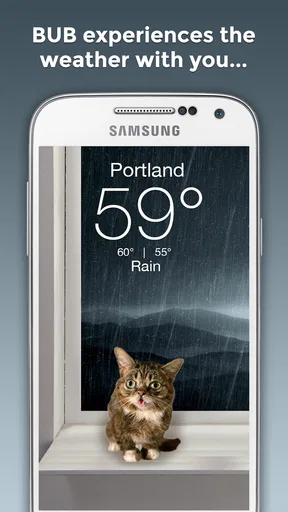
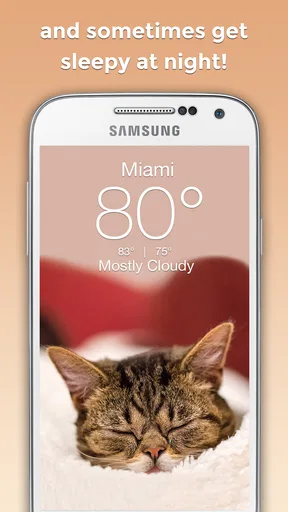
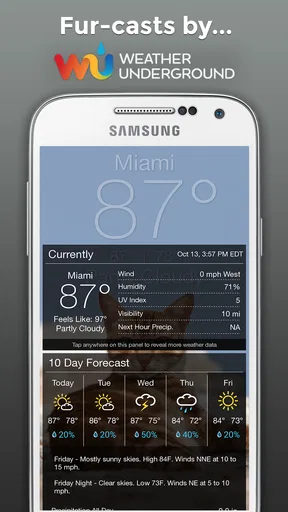
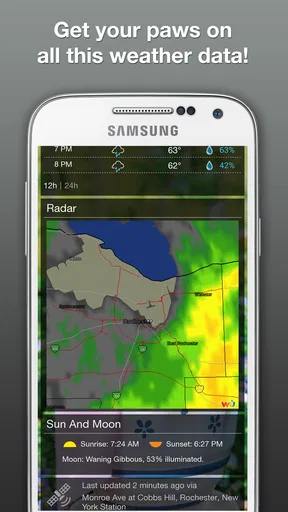
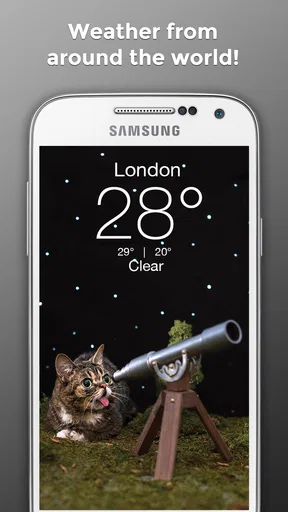
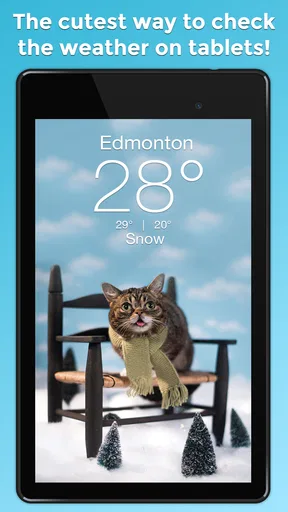
 Analysis by AppCompare
Weather BUB is the kind of weather app I open when I want a quick answer without being confronted by a wall of numbers. Its cheerful visual style makes checking the forecast feel lighter than using a more technical weather service, while the basic purpose remains clear: look at the current conditions and decide what to wear, whether to carry an umbrella, or if an outdoor plan still makes sense. I reviewed it as a daily weather tool, paying particular attention to how comfortably different people can read and use it in ordinary situations.
Created by Weather Creative Inc., this free weather app has been available since September 9, 2016. It has built a strong response from users, with an average rating of 4.9 from around 8,700 ratings and more than 100,000 installs. Those figures do not automatically make it right for everyone, but they do suggest that its friendly approach connects with many people who prefer a simple, pleasant forecast over a professional-looking dashboard.
How Weather BUB feels to use every day
I focus here on the everyday effect of Weather BUB’s friendly, uncomplicated presentation: it can make a routine weather check feel less like scanning a dashboard and more like getting a quick cue for the day. I also consider when that light touch genuinely saves effort—and when I would want a more detailed source beside it. The key is matching the app to the decision at hand.
Readability and navigation come first
The main strength I noticed is the app’s approachable presentation. Weather BUB is designed around the idea that checking the weather should be pleasant, not a chore. That matters for people who become tired or distracted by dense interfaces. A screen that communicates the general situation quickly can be more useful than a technically richer app that forces me to interpret several panels before finding the answer I need.
The app’s personality is especially suitable for casual checks. I can imagine opening it before leaving home, glancing at the conditions, and closing it again without navigating through complicated menus. That straightforward rhythm benefits users who prefer fewer decisions on screen, including people who are new to weather apps or who find busy layouts difficult to scan.
That simplicity also creates a trade-off. A user who wants detailed meteorological information may find the experience less satisfying than a conventional forecast service. Weather BUB’s appeal is not that it replaces every specialist tool; it is that it makes the everyday question “What is the weather like?” feel easy to answer. If I needed to compare several forecast periods, examine technical details, or plan around changing conditions, I would want to check whether its presentation gives me enough depth for that particular task.
The app is rated for Teen users, so families should treat it as an ordinary weather utility rather than assuming it was designed specifically for young children. Its playful tone may feel welcoming to younger users, but the age label is still worth considering when choosing apps for a shared family device.
Worth Reading Before You Choose

EA SPORTS FC Mobile 26 Is a Bigger Football Game, but It Takes Time

Flipboard Shows What News Apps Must Do Beyond the Feed

Switching to Android Auto Means Rethinking Your Driving Routine

Google Calendar Makes a Crowded Week Easier to Manage

Ludo King Makes the Most of the Minutes Between Plans

Baby Panda World Brings Quick Play to Modern Phones, but Its Game Library Feels Busy
Visual comfort and sensory considerations
The cheerful design is more than decoration. For me, it changes the emotional tone of a routine task. Weather information can be dull or stressful when I am already rushing, and a warmer visual identity makes the check feel less demanding. This may help users who are sensitive to intimidating interfaces or who prefer familiar, friendly cues instead of a stark information panel.
At the same time, a playful visual style will not suit every sensory preference. Some people want a quiet, restrained interface with minimal visual character. Others may need strong contrast, large text, or very explicit labels to read information comfortably. I would therefore judge the app on the actual device and display settings rather than assuming that a cute design automatically means an accessible one. The pleasant appearance is a strength, but it should not be confused with a guarantee that every visual need is covered.
One practical tip is to use the app in the context where you normally check weather, not only while sitting comfortably indoors. Open it in the morning with the phone at normal brightness, then try it outside in daylight. If the information remains easy to identify without prolonged concentration, it is likely to fit your routine. If you have to stare at the screen or rely on tiny visual distinctions, a more information-focused alternative may be better.
People who rely heavily on spoken output should also evaluate the app directly with their usual device tools. I would not choose it solely because its visuals are friendly. Weather is often checked while attention is divided, and a person may need clear text, dependable spoken access, or a layout that works well with enlarged display settings. Those needs are more important than the app’s charming presentation.
Using it when attention is limited
Weather checks rarely happen under perfect conditions. I might be carrying a bag, helping a child get ready, standing near a busy road, or trying to decide whether to leave before rain begins. In those moments, the best app is often the one that lets me reach the answer with the least mental effort. Weather BUB’s uncomplicated character is well suited to that kind of quick decision.
A realistic example is a morning commute. I open the app before getting dressed, check whether the day looks suitable for light clothing, and decide whether an umbrella belongs in my bag. If the app gives me the information I need immediately, it has done its job better than a feature-heavy service that makes me scroll through several layers. The same applies before walking the dog, taking a short trip, or deciding whether to eat lunch outside.
Its value is different when the situation is more demanding. For a long hike, a flight, outdoor work, or travel through an area with rapidly changing conditions, I would not rely on a cheerful quick-check app alone. Those situations call for careful planning and a forecast source that presents the relevant details clearly. Weather BUB can still be a convenient first glance, but I would use a more specialized option when the consequences of a wrong decision are higher.
This distinction is important for users with different abilities. Someone with limited energy may appreciate an app that reduces the number of steps in a routine check. Someone who needs very precise information may experience the same simplicity as a limitation. Inclusive design is not just about making an interface attractive; it is about allowing the right person to complete the right task without unnecessary strain. Weather BUB succeeds best for quick, low-pressure decisions.
Small workflow choices that make a difference
I found it useful to think of the app as part of a routine rather than as a complete weather-planning system. For example, I would check it at the same points each day: before leaving home, before an outdoor appointment, and before heading back. That keeps the app’s role clear and prevents me from expecting it to handle every kind of forecast analysis.
Another helpful habit is to separate the visual mood from the decision itself. The friendly design can make the app enjoyable, but I still need to pause when weather conditions matter. If I am deciding whether to cycle, attend an outdoor event, or travel with someone who is sensitive to heat or cold, I should read the available information carefully instead of treating the pleasant interface as reassurance.
The app is free to download, which makes this kind of trial easy. However, it includes in-app purchases ranging from $1.99 to $29.99 per item. I would explore the free experience first and only consider an optional purchase if it solves a need I actually have. This is particularly sensible for users who want a simple weather check and do not need extra spending to make the app useful.
Weather BUB is currently at version 6.2.7 and supports devices running Android 7.0 or later. That gives it a reasonably broad place among older Android phones, although anyone using an older device should check compatibility before planning around it. For people who share devices or use an older handset because of budget, repair, or environmental reasons, operating-system support can be just as important as design.
Where the usual alternatives may be stronger
Compared with a standard weather app, Weather BUB feels less formal and more inviting. Traditional alternatives often prioritize a large amount of forecast detail, location management, charts, alerts, and technical explanations. That can be useful, but it can also make a simple question feel like a research task. I would choose Weather BUB when emotional ease and quick comprehension matter more than a deep set of tools.
I would choose a conventional alternative when I need to compare several days, investigate changing conditions, or make a decision that depends on more than a general impression. A specialist service may also be preferable for users who want a restrained interface, extensive text, or a highly structured presentation. The better choice depends on whether the priority is a pleasant glance or detailed planning.
There is also a personal preference involved. Some people enjoy apps with character and may find Weather BUB easier to return to because it feels cheerful. Others may see the same style as unnecessary and prefer a neutral utility. Neither response is wrong. The app’s design is central to its identity, so users who dislike playful presentation may never feel fully comfortable with it even if the underlying task is simple.
Remaining barriers to consider before installing
The biggest potential barrier is the gap between friendliness and full accessibility. A cute interface can reduce intimidation, but it does not by itself address every need related to vision, hearing, motor control, attention, or cognition. I would test the actual screens using the phone’s accessibility settings and preferred interaction method. If enlarged text, display adjustments, or alternative input make the information harder to understand, another weather app may be the more respectful choice.
Small-screen use deserves special attention. A person with limited dexterity may prefer an interface that minimizes precise taps and scrolling. Weather BUB is most appealing when the weather answer is easy to reach, but I would not assume that every control or screen behaves equally well for every hand or device. Anyone who struggles with touch accuracy should spend a few minutes checking whether the app fits their normal grip and pace.
There is also a cognitive barrier for people who need explicit explanations rather than visual mood. If symbols, colors, or illustrations carry too much of the meaning, a user may have to interpret the screen instead of simply reading it. I would recommend it more confidently to someone who enjoys visual cues and wants a light daily check than to someone who needs highly explicit, text-led weather information.
Notifications and interruptions can affect situational access too, although I would base that decision on the settings available on the device and in the app rather than assuming a particular behavior. A user who is sensitive to alerts should keep control of when weather information appears. Someone who needs reminders may prefer an app with more prominent planning tools. The right balance is personal, and the app should fit the user’s attention rather than compete for it.
Purchases are another consideration for households managing spending carefully. The free starting point is useful, but the presence of optional items means I would review purchase prompts before handing the phone to a child or a person who may tap through screens impulsively. That is not a criticism unique to weather tools; it is simply a sensible step whenever an app combines free access with paid additions.
Who I would recommend it to
I would recommend Weather BUB to someone who wants a gentle, uncomplicated way to check the weather several times a day. It is a good match for casual users, people who dislike severe-looking forecast dashboards, and anyone who values a little warmth in a routine utility. It may also suit users who become overwhelmed by too many controls and would rather begin with a focused weather experience.
I would be more cautious about recommending it as the only weather source for outdoor professionals, serious travelers, hikers, cyclists planning long routes, or anyone who needs highly detailed forecasting. I would also suggest testing it carefully for users who depend on screen readers, enlarged text, strong contrast, or very precise touch interaction. The app may work comfortably for some of them, but its friendly appearance is not enough reason to skip that personal check.
The developer, Weather Creative Inc., has kept the concept recognizable over time, and the current version shows that the app remains an active option for compatible Android users. Its long availability and strong user response make it worth trying, but I would still judge it by the specific job I need done rather than by popularity alone.
My inclusive verdict
Weather BUB succeeds because it makes a small daily task feel less mechanical. I enjoy it most when I want a quick, reassuring look at the day and do not need a specialist forecast workspace. Its visual friendliness can lower the effort of opening a weather app, especially for people who prefer simple screens and a lighter tone.
Its limits are equally clear. The playful approach may not provide the clarity, density, or control that some users need, and no attractive design can guarantee comfortable access for every ability or situation. I would test it with my own display preferences, touch habits, and reading needs before making it my main weather tool.
My recommendation is simple: choose Weather BUB when a pleasant, low-pressure weather check matters most, and keep a more detailed alternative available for serious planning. At no cost to start, it is easy to try, and its Teen content rating, Android 7.0 minimum requirement, and optional purchases are straightforward points to consider before installing. For the right user, it turns an ordinary forecast check into a small moment of comfort without pretending to be everything a weather service can offer.
Pros
- Simple interface makes current conditions easy to check quickly.
- Useful forecasts help with planning commutes
- trips
- and outdoor activities.
- Weather information is presented in a clear
- readable format.
- Lightweight design should work well on many Android and iOS devices.
- Convenient access to local weather details from your phone.
Cons
- Forecast accuracy can vary depending on location and data coverage.
- Some features may require location permissions to work properly.
- Weather updates may use mobile data when you are away from Wi-Fi.
- The app may offer fewer advanced tools than dedicated weather services.
- Notifications could feel unnecessary if you only check weather occasionally.
FAQs for Weather BUB
What is Weather BUB and what does it offer?
Weather BUB is a weather application designed to provide quick access to current conditions and forecasts in a simple, visually friendly format. Depending on the available version and location, it may show temperature, feels-like conditions, precipitation, wind, humidity, and other useful details. Its main appeal is convenient everyday weather checking without requiring users to navigate complicated menus.
Does Weather BUB provide accurate and reliable forecasts?
Weather BUB’s accuracy depends on the meteorological data sources it uses, your selected location, and the quality of available local weather information. Like any forecasting app, it can be dependable for short-term planning but may become less precise several days ahead or during rapidly changing conditions. Users should treat severe-weather notifications and official local warnings as the most authoritative information.
Does Weather BUB require location access?
Weather BUB may request location permission so it can automatically display weather conditions for your current area. You can usually choose whether to allow precise or approximate location access, depending on your device and operating system. If you prefer not to share your location, you may be able to search for and save cities manually, although some automatic features may not work as conveniently.
Is Weather BUB free to download and use?
Weather BUB may be available as a free download, but the exact features included without payment can vary by platform and app version. Some editions of weather apps support advertising, optional purchases, subscriptions, or premium tools such as expanded forecasts and additional locations. Before installing, review the store listing for current pricing, in-app purchase details, and any limitations.
What permissions and privacy considerations should users know about?
Before using Weather BUB, check the permissions requested during installation and in your device settings. Weather apps commonly request location access, and some may use notifications to provide forecast updates or weather alerts. Review the developer’s privacy policy to understand how location data, device information, and usage details are collected, stored, or shared, and disable permissions that are not necessary for your needs.


